css animation
요소의 현재 스타일을 다른 스타일로 변환
keyframe
애니메이션의 진행 정도를 나타내는것
from 과 to로 시작과 끝을 정한다.
시작: 0% ,from
과정: 1%,2%,3%,10%...
끝 : 100% , to
1.animation name: 애니메이션의 이름을 설정
2.animation-full-mode : 애니메이션이 끝난 후 어떻게 처리할지 설정
●forwards: 애니메이션 키프레임이 완료 되었을 때 마지막 프레임을 유지
3.animation-direction : 애니메이션의 진행 방향을 정하는 속성
●reverse: 반대 순서로 진행
●alternate: 정해진 순서로 진행되었다가 다시 반대 순서로 진행
●reverse-alternate: 반대 순서로 진행했다가 다시 정해진 순서로 진행
4.animation-duration : 애니메이션이 일어나는 시간을 설정
5.animation-interaction-count : 애니메이션이 몇 번 반복할지 설정
●infinite : 무한반복
●숫자 : 숫자만큼 반복
HTML 예제 코드
코드
<!DOCTYPE html>
<html lang="en">
<head>
<meta charset="UTF-8">
<meta http-equiv="X-UA-Compatible" content="IE=edge">
<meta name="viewport" content="width=device-width, initial-scale=1.0">
<title>animation1</title>
<style>
.box {
margin-top: 100px;
margin-left: 100px;
padding: 20px;
height: 60px;
animation-name: moving;
animation-duration: 3s;
animation-iteration-count: infinite;
animation-direction: alternate;
}
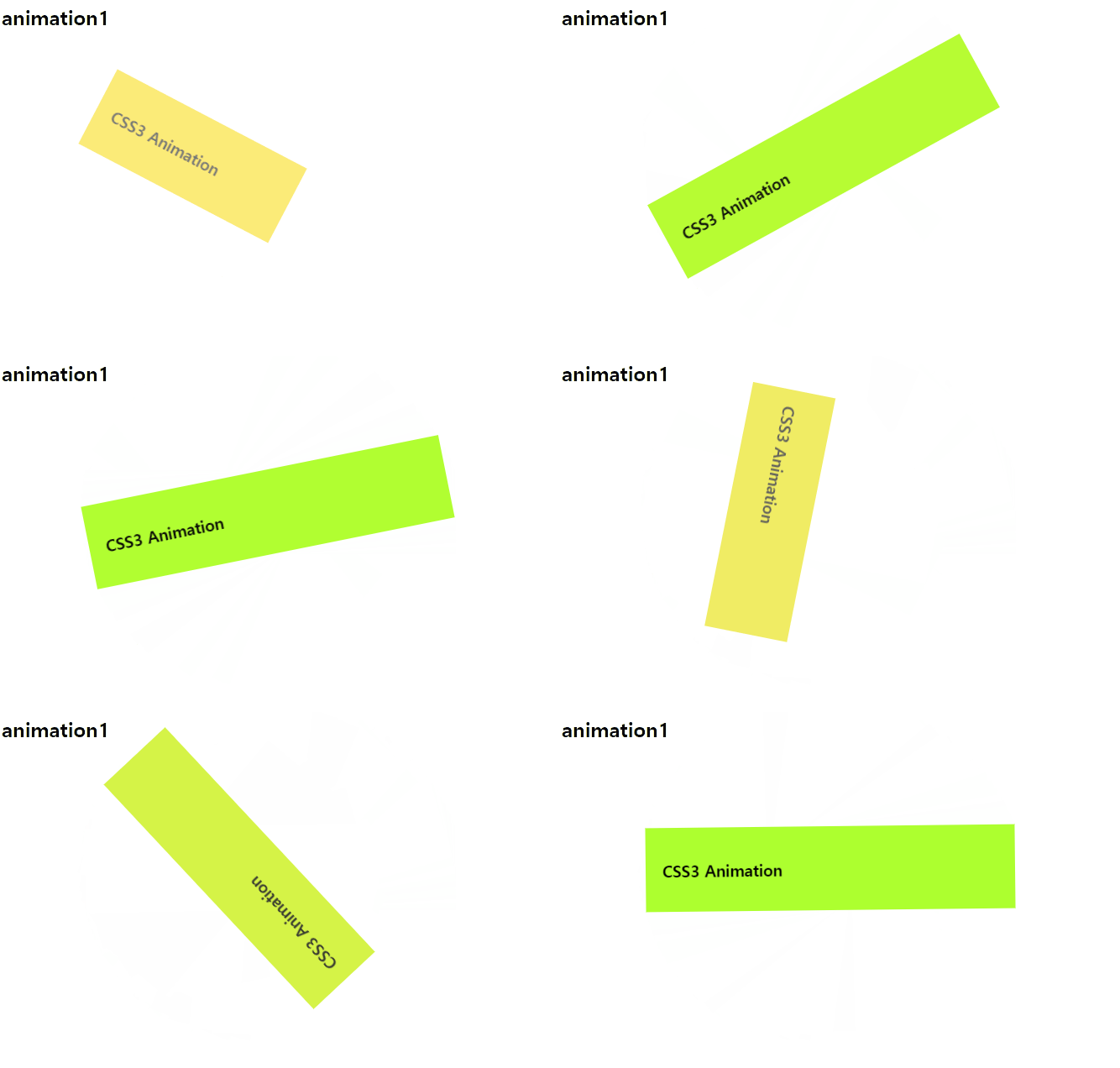
@keyframes moving {
from {
width: 200px;
background-color: gold;
opacity: 0.5;
transform: rotate(0deg);
}
to {
width: 400px;
background-color: greenyellow;
opacity: 1;
transform: rotate(360deg);
}
}
</style>
</head>
<body>
<h2>animation1</h2>
<div class="box">
<h3>CSS3 Animation</h3>
</div>
</body>
</html>
결과
'코딩공부 > HTML,CSS,JavaScript' 카테고리의 다른 글
| JavaScript _실행 순서 (0) | 2023.04.04 |
|---|---|
| CSS_우선순위 (0) | 2023.04.03 |
| CSS_transition (0) | 2023.04.03 |
| CSS_transfrom (0) | 2023.04.03 |
| CSS_미디어 쿼리 (1) | 2023.03.30 |